The Nightmare Scenario
One day, your phone is buzzing with calls and service requests; the next, it’s dead silent. A Google Business Profile suspension can catch you completely off guard, cutting off one of the primary sources of leads that drive your business. Without warning, your visibility on Google Maps and search results disappears, leaving potential customers unable to find you. This isn’t just a minor inconvenience—it’s a direct hit to your bottom line. The sudden halt to calls and leads can feel overwhelming, as your ability to connect with customers is effectively severed. We need to act quickly and put a clear plan in place to regain control and restore your online presence as soon as possible.
Understanding Suspensions
Suspensions come in two forms: soft and hard. A soft suspension limits your ability to make changes to your Google Business Profile, though your listing remains visible to the public. This means customers can still find your business, but you lose access to important management tools, such as responding to reviews or updating hours. A hard suspension is far more severe—it completely removes your business from Google Maps and search results. This type of suspension usually occurs when Google’s systems flag your profile as potentially fraudulent, unsafe, or non-compliant with its policies. While the causes can vary, the consequences of a hard suspension are immediate and often devastating for businesses reliant on online visibility. Google has become much more stringent about Google Business Profile standards. You cannot ignore Google’s standards when it comes to business profiles.
Common Reasons for Suspension
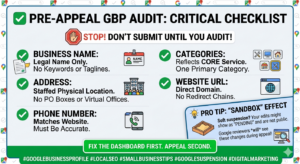
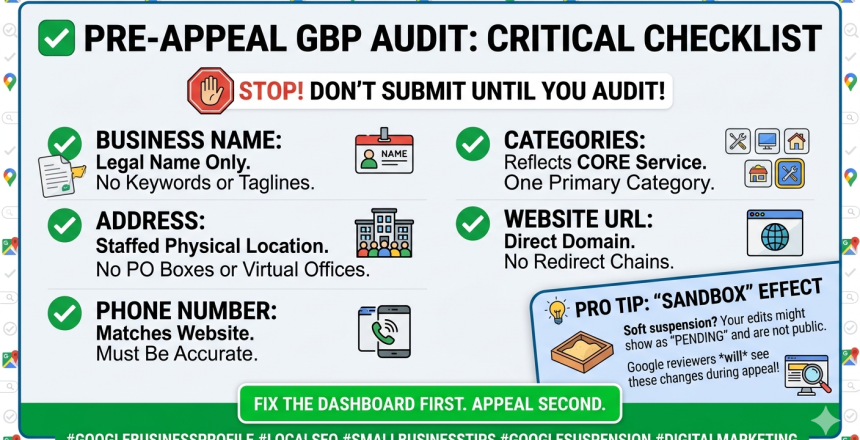
Google’s suspension system often flags accounts based on patterns that suggest potential issues. One common trigger is adding extra keywords to your business name, which Google may view as an attempt to manipulate search results. Another red flag is using P.O. Boxes or virtual offices instead of a staffed, physical location. Sudden changes, such as updating your phone number, address, or name all at once, can appear suspicious to Google’s automated review systems. Additionally, a sudden influx of reviews, even if they’re genuine, may be interpreted as unnatural activity. These triggers underscore the importance of keeping your Google Business Profile accurate, consistent, and transparent to avoid unnecessary scrutiny.
4-Step Action Plan
Step 1: Log in to your Google Business Profile dashboard to determine the extent of the suspension and whether your listing is publicly visible or has been removed.
Step 2: Review your profile for inconsistencies. Ensure your business name, address, and phone number exactly match official records and your website. Avoid making multiple changes at once.
Step 3: Collect verification documents, such as a utility bill, a business license, or photos of your storefront and signage. Keep these files organized and ready on your computer.
Step 4: Initiate the reinstatement process via the Google Business Profile Help page. When you reach the document upload step, be prepared to submit everything within 60 minutes, as the upload window will close if you exceed this timeframe.
If at any point you have questions or feel overwhelmed, we HIGHLY encourage you to reach out to our team at Valor for help!
Diversifying Beyond Google
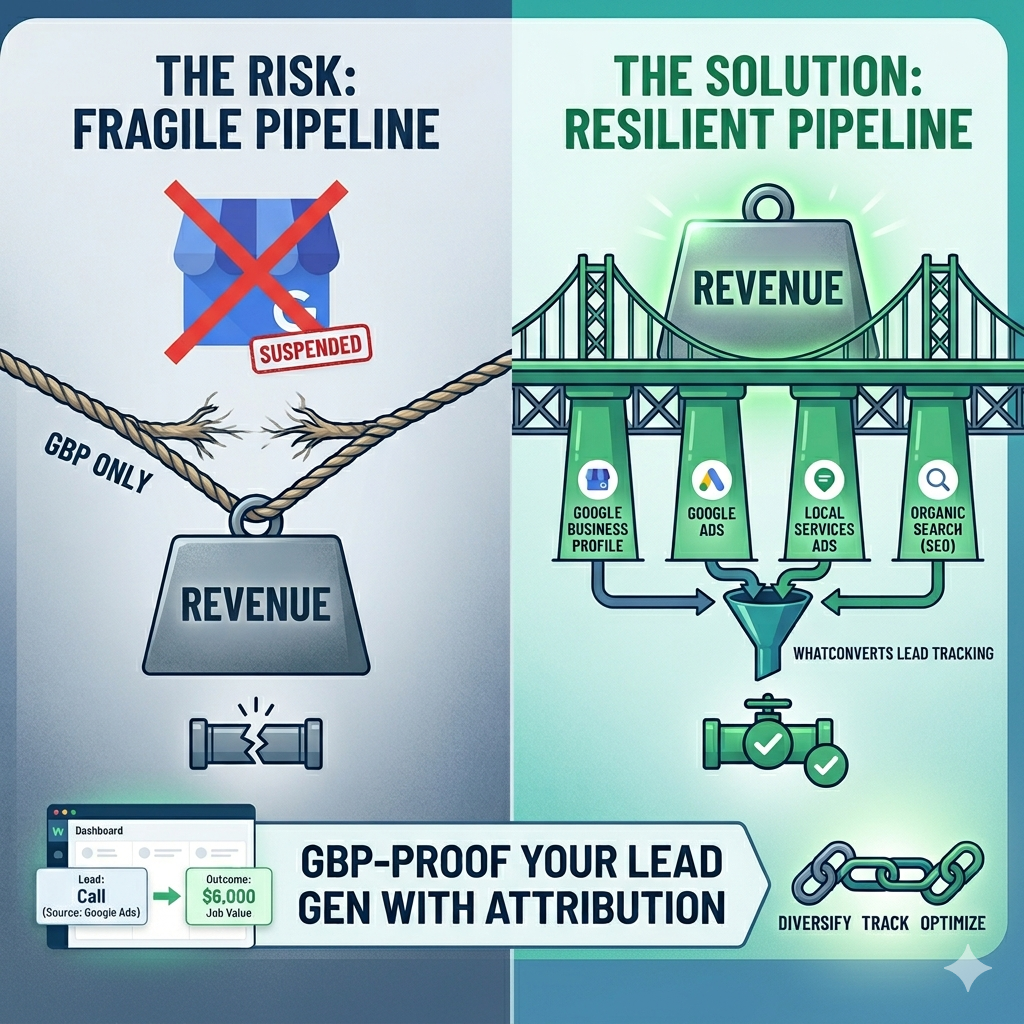
Expanding your marketing efforts ensures your business isn’t overly reliant on a single platform. Invest in a strong, search-optimized website to attract organic traffic, and consider running Local Services Ads or standard PPC ads (yes, including Bing and Yahoo) for direct visibility. Social media platforms like Facebook can also deliver a steady stream of leads with the right targeting. Additionally, explore offline methods such as direct mail campaigns to reach local customers. Use tools to track which channels generate the highest-value leads, so you can make data-driven decisions about where to allocate your resources. Diversification not only safeguards your business but also opens new opportunities for sustainable growth. If you are relying solely on Google for your leads, please consider diversifying your lead sources.
Preparation Checklist
Address potential vulnerabilities in your Google Business Profile by ensuring all information is accurate and consistent across platforms. Keep essential verification documents, such as utility bills or business licenses, readily accessible to streamline any reinstatement process. Regularly review your profile for updates or changes that could trigger Google’s automated flags, such as sudden edits to your business name or address. Develop alternative marketing strategies, including SEO-optimized website content and targeted ad campaigns, to reduce reliance on Google for leads. Being proactive minimizes downtime and helps ensure your business remains visible to customers, even if a suspension occurs unexpectedly.
Are You Stressed From A Google Business Profile Suspension?
Facing a Google Business Profile suspension can feel overwhelming, but acting carefully and strategically is key. Avoid rushed changes to your profile that could complicate reinstatement. Instead, focus on gathering the necessary documents and understanding the exact steps to resolve the issue. If you’re unsure where to start or how to navigate the process, reach out for professional guidance. Our team at Valor Marketing is here to help you get your profile reinstated quickly and effectively.